Windows 11 RGB Bug Is Crashing Games: What Players Need to Know
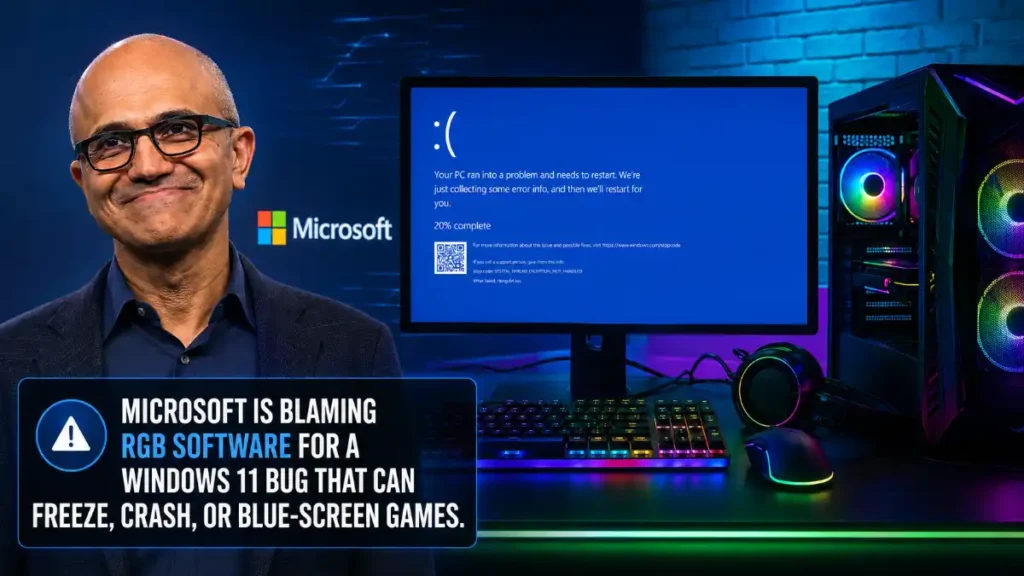
A recent Windows 11 update is causing some games to freeze, crash, restart PCs, or show blue-screen errors on systems with certain RGB lighting drivers. Microsoft says the issue is linked to RGB-related software components with names similar to inpoutx64, not simply to having colorful lights in your PC.
The problem has been reported after the August 11, 2026 Windows 11 security update, KB5121003, on Windows 11 versions 24H2 and 25H2. Microsoft is still investigating and has not yet announced a permanent fix.
RGB software lets players control the lights on gaming keyboards, mice, fans, RAM, motherboards, and other PC parts. These programs often install drivers so they can talk directly to hardware.
Microsoft says certain RGB peripherals or internal PC components may install drivers or code components with file names similar to inpoutx64. When those components are present, launching specific games can trigger the Windows 11 bug.
This does not mean every RGB keyboard, mouse, or gaming PC is affected. It also does not mean RGB lighting itself is dangerous. The likely problem is a compatibility conflict involving a low-level driver used by some device-control software.
Microsoft has currently identified three games in reports connected to the issue:
ARC Raiders
MARVEL Tōkon: Fighting Souls
THE FINALS
Players have reported several frustrating problems after launching or playing affected games:
The game freezes or stops responding
The game crashes to the desktop
Windows displays an EXCEPTION_ACCESS_VIOLATION error
The PC restarts unexpectedly
The PC may show a blue-screen error in some cases
Microsoft’s list may grow as it receives more player reports. If another game begins crashing after the August Windows update, the RGB driver conflict could be worth checking—but it is not confirmed for every game crash.
Microsoft is blaming RGB software for a Windows 11 bug that can freeze, crash, or blue-screen games.
The issue is linked to RGB devices and their lighting-control drivers. Microsoft says it affects “peripherals or internal device components which have RGB lighting features.”… pic.twitter.com/uV2dX18Kjj
inpoutx64.sys is a low-level Windows driver. In simple terms, it can give software deeper access to parts of a PC than a normal app would have.
That level of access can be useful for hardware tools, but it can also create trouble when Windows changes security rules or when a game uses anti-cheat software. Microsoft has only confirmed that the affected systems have RGB-related components with names similar to inpoutx64; it has not confirmed that a particular anti-cheat tool is the direct cause.
Embark, the developer behind ARC Raiders and THE FINALS, previously linked some player crashes to inpoutx64.sys after the Windows update. The studio said it was working on a longer-term answer.
How To Check If Your PC May Be Affected
If one of the listed games began crashing after you installed the latest Windows update, start with simple checks before changing any files.
Restart your computer and try launching the game again.
Update your RGB software, motherboard utilities, mouse software, keyboard software, and other peripheral apps from their official manufacturers.
Open Command Prompt as administrator.
Run this command:
sc query inpoutx64
If Windows finds a service with that name, the driver may be installed on your system. This does not prove it is causing your crash, but it gives you a useful clue.
Should You Delete the RGB Driver?
Be careful. Deleting a driver from the Windows system folder can stop RGB controls, fan tools, or other hardware-management features from working. It may also cause problems if another program depends on that driver.
Some temporary community and developer-shared workarounds advise stopping and removing the inpoutx64 service, deleting the driver file, and restarting Windows. However, those steps change your system and should only be used if you understand the risk, know which hardware tool installed it, and have a backup or restore point.
Reinstall the affected hardware software from the official manufacturer.
Check the game developer’s support page or Discord announcements.
Check Windows Update for new fixes.
Report the issue through the Windows Feedback Hub so Microsoft can collect more crash data.
Do Not Blame RGB Lights Themselves
The most important detail is that Microsoft is not blaming the lights on your keyboard, mouse, or PC case. The company’s investigation points to certain software and drivers installed alongside RGB-capable hardware.
A player can own many RGB devices and never see this bug. Another player may have no visible lighting enabled but still have an older device-management driver on their PC that causes the conflict.
When Will Microsoft Fix It?
Microsoft says it is working to understand the relationship between RGB-related components and the games that trigger the issue. At the time of writing, there is no confirmed release date for a fix.
Until then, avoid unsafe “quick fixes” from random forums. Update your trusted hardware software first, do not remove Windows security updates without a clear reason, and wait for guidance from Microsoft, the game developer, or your peripheral maker.