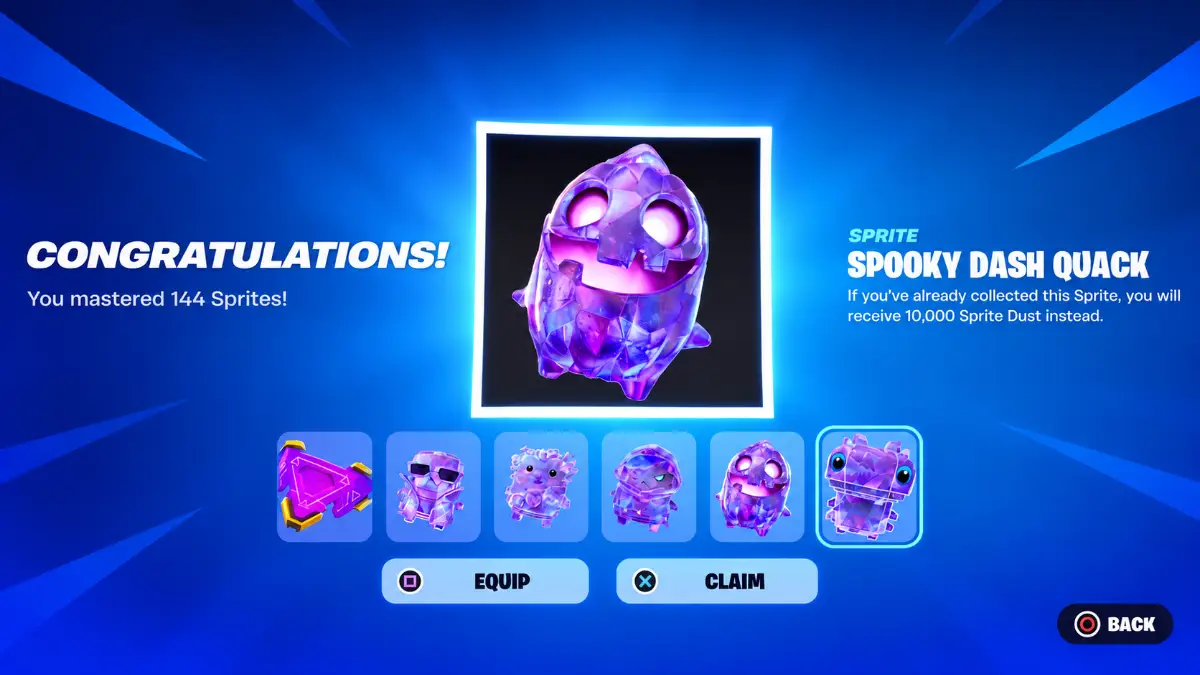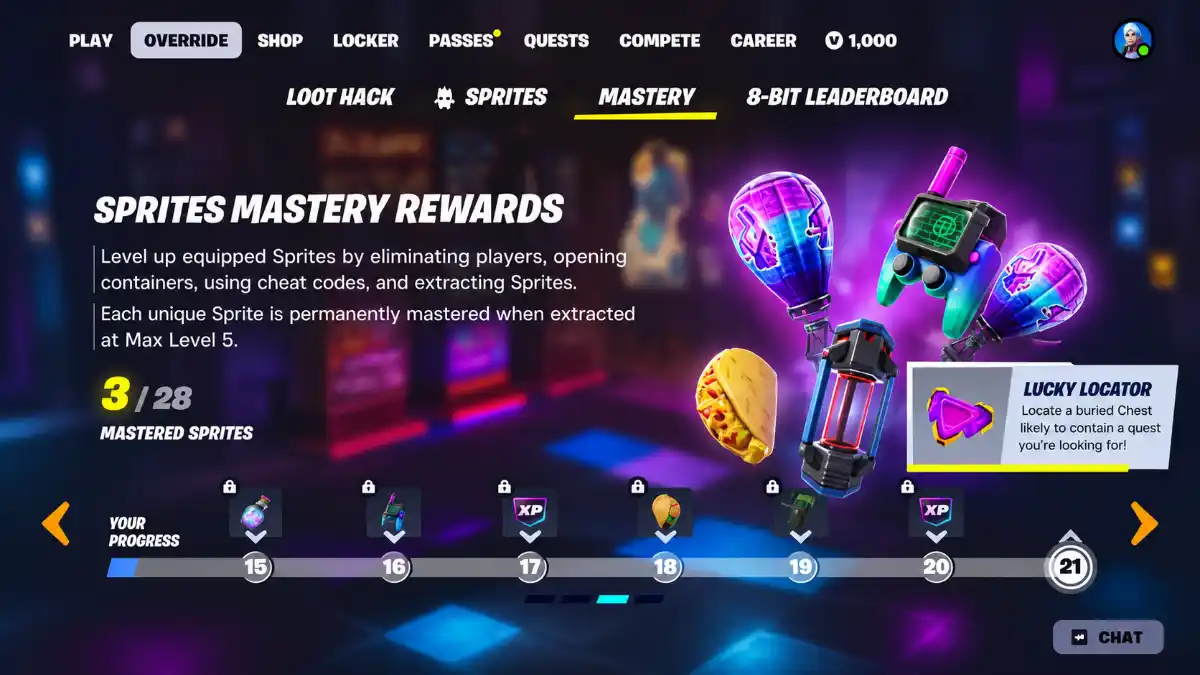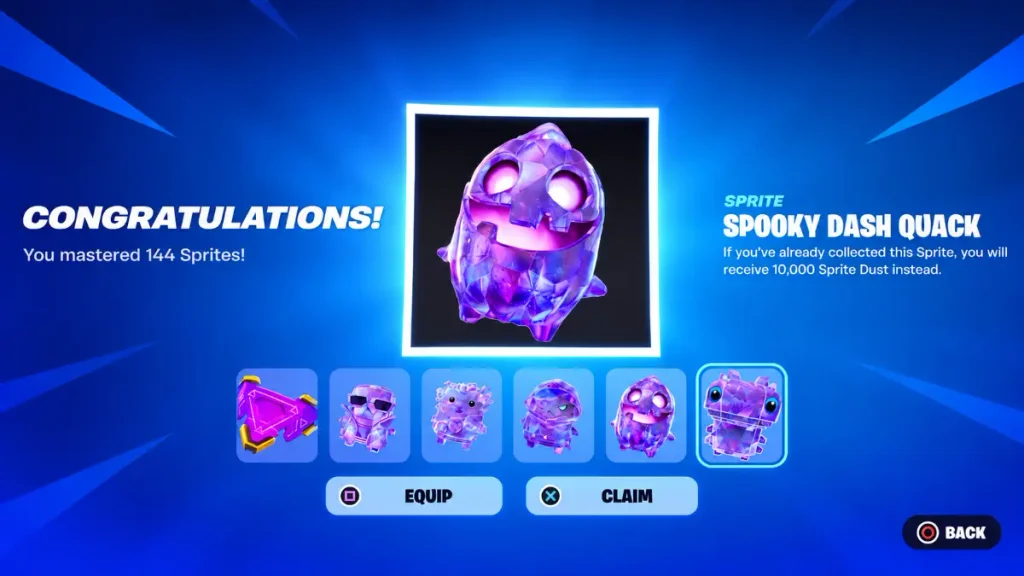
To get the Spooky Dash Quack Sprite in Fortnite, reach 55 on the Sprite Mastery reward track, then claim it from Override → Mastery Rewards. This is a progression reward, so opening Pumpkin Chests or searching for the regular Spooky Dash Sprite will not unlock the Quack version.
The main requirement is to master Sprites and extract them. Below, you’ll find the unlock steps, an explanation of how Sprite Mastery works, and the difference between this reward and the separate skin milestone.
Key Takeaways
- Spooky Dash Quack unlocks at the 55-Sprite Mastery milestone.
- A Sprite becomes Mastered when it reaches Level 5.
- Claim the unlocked reward through Override → Mastery Rewards.
- The 70 milestone belongs to a separate skin reward.
How to Unlock the Spooky Dash Quack Sprite
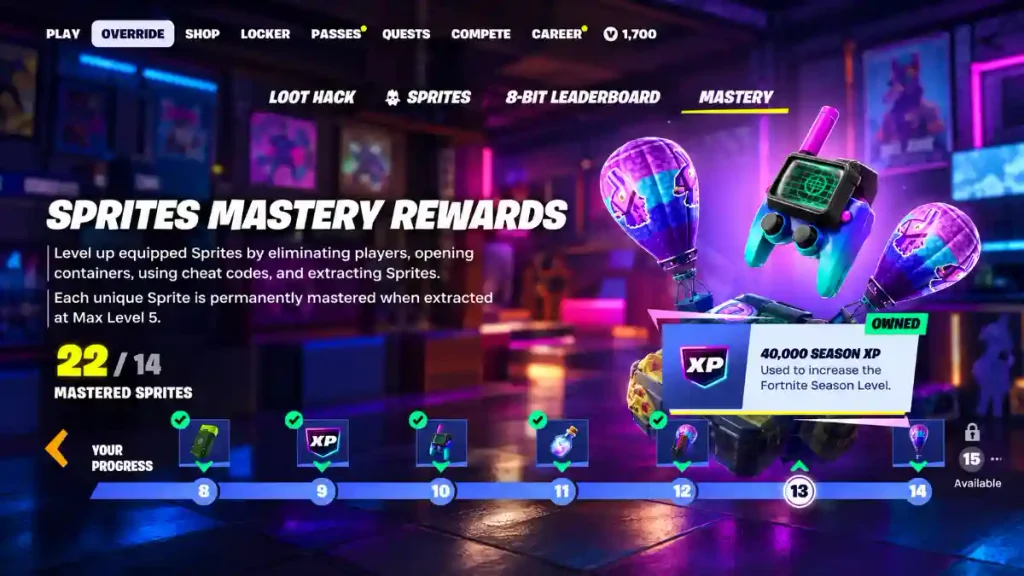
Your goal is to increase your overall Sprite Mastery progress until you reach the Spooky Dash Quack reward. This is separate from your account level and Battle Pass level.
Follow these steps:
- Open your Sprite collection and check your current Mastery progress.
- Select a Sprite you still need to master.
- Level the Sprite up to Level 5.
- Successfully extract the Mastered Sprite.
- Check your Mastery progress after the match.
- Continue progressing until you reach the 55 milestone.
- Open Override → Mastery Rewards and claim Spooky Dash Quack.
Checking your progress after extraction helps you see how close you are to the reward. It also prevents you from spending several matches repeating an action that has not increased your counter.
What Does Mastered Mean?
A Sprite reaches the Mastered stage at Level 5. You can identify it by the Mastered label shown with its level.
An individual Sprite’s level and your overall Mastery progress are different. Level 5 applies to that Sprite, while the 55 milestone applies to your reward-track progress.
You do not need to raise a single Sprite to Level 55. Instead, work through the Sprite Mastery system until the reward track shows that you have met the requirement.
Where to Claim Spooky Dash Quack
Once you reach the required milestone, open the Override menu and select Mastery Rewards. Find the Spooky Dash Quack tile and claim the reward.
You may also see the name written as Quack Spooky Dash. Check the full name and variant label to make sure you are viewing the correct reward.
If the reward remains locked, look at the progress displayed on its tile. Your overall account level does not determine whether you can claim it.
Is Spooky Dash Quack a Free Reward?
Spooky Dash Quack is an earned Sprite Mastery reward. Its unlock requirement is progression, not an Item Shop purchase.
The requirement covered here applies specifically to the Quack variant. It should not be confused with the regular Spooky Dash Sprite or other rewards shown later on the Mastery track.
| Reward | Requirement |
|---|---|
| Spooky Dash Quack Sprite | Reach the 55-Sprite Mastery milestone |
| Separate skin reward | Reach the 70 milestone |
The higher skin milestone does not change the requirement for Spooky Dash Quack. You can claim the Sprite once its own reward tile becomes available.
Spooky Dash Quack vs. Regular Spooky Dash
The regular Spooky Dash Sprite and its Quack variant use different acquisition methods.
The regular version is associated with loot methods such as Pumpkin Chests and Cheat Codes. Spooky Dash Quack comes from the Sprite Mastery reward track.
That distinction matters when choosing what to work on. Searching chests may help you find the regular Sprite, but it does not replace the Mastery requirement for the Quack reward.
If your goal is specifically Spooky Dash Quack, focus on your Mastery counter and the reward tile rather than trying to find the variant as random loot.
What Does the Quack Progression Bonus Do?
Quack Sprites provide a shared progression bonus. When a Quack Sprite gains progress, the other Sprites carried in your match inventory receive an extra 50% of that progress.
The bonus applies to the Sprites you are carrying in that match. It does not automatically give progress to every Sprite in your collection.
This makes Quack Sprites useful when you are working on several carried Sprites. The shared progress supports your collection goals while you continue playing.
Related:How to Complete Fortnite Safety in Numbers Challenges
What to Check if the Reward Is Locked
If you cannot claim Spooky Dash Quack, check these details first:
- Confirm that you are viewing the Quack variant, not regular Spooky Dash.
- Check your total Mastery progress rather than one Sprite’s level.
- Make sure the Sprite reached Level 5 before extraction.
- Confirm that the extraction was successful.
- Read the requirement and progress shown on the reward tile.
Do not use the separate 70 milestone as your target for this Sprite. The Spooky Dash Quack tile is the relevant place to check whether you have completed its requirement.