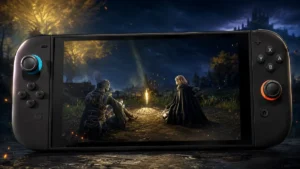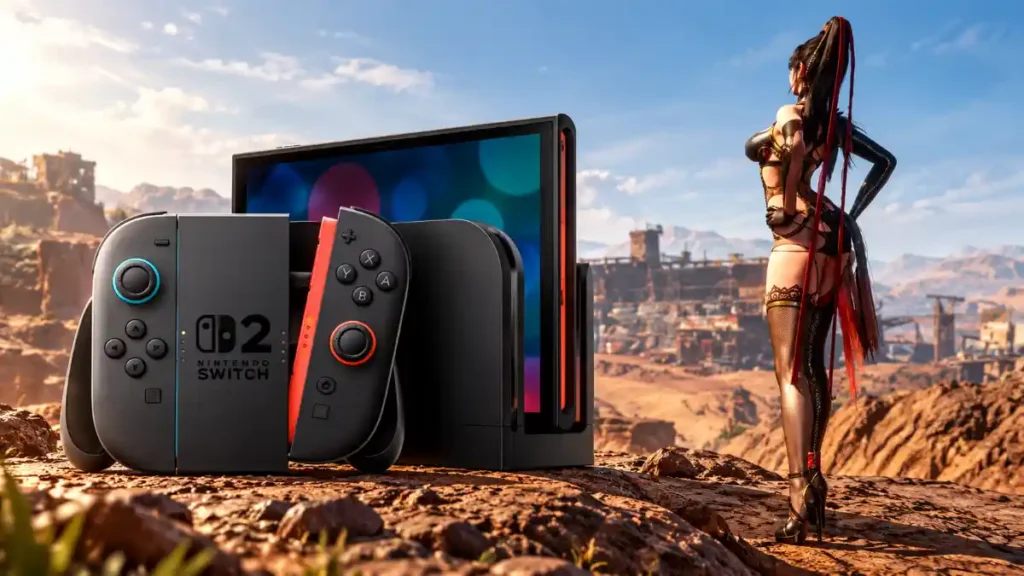
Stellar Blade: Complete Edition is adding a frame generation toggle for its Nintendo Switch 2 launch on November 5, 2026. Developer Shift Up announced the change after players shared feedback on the demo, where frame generation is always on. Some players say the game looks smoother but feels less responsive during combat, especially when timing a parry. yers decide whether to use frame generation in the full game. It is a welcome choice, but it does not yet tell us how the game will run with the feature turned off.
Why Is Stellar Blade Adding a Frame Generation Toggle?
Shift Up said it had been watching feedback from people who played the Stellar Blade: Complete Edition demo on Switch 2. The developer then confirmed that the full game will include a setting to turn frame generation on or off at release.
The current demo does not offer that choice. Players who try it can only experience the frame-generated presentation, even if they would rather see how the game looks or feels without it. Shift Up has not announced a toggle for the demo itself.
That distinction matters because Stellar Blade is an action game built around reacting to enemy attacks. A smoother image can be appealing, but some players would prefer a less smooth image if it makes their button presses feel more immediate. The new setting will allow them to compare the two options when the full game arrives.
How Does Frame Generation Work on Switch 2?
Shift Up’s technical director has explained that the Switch 2 version starts with a 30fps base and uses frame interpolation to target a 60fps output. It uses AMD FSR 3.1 for that interpolation, while Nvidia DLSS handles upscaling. These technologies do different jobs: interpolation adds frames between rendered images, and upscaling helps produce the displayed image.
In plain language, the game is not rendering 60 original gameplay frames every second. It creates extra frames to make movement appear smoother. As a result, a game can look closer to 60fps without responding exactly like a game running at native 60fps.
This does not mean frame generation is useless. Some players may enjoy the smoother motion enough to keep it on. But it explains why another player might look at the same footage and still feel that combat is slower to respond than expected.
The 60fps figure is also a target rather than a promise that every moment will stay at 60fps. Digital Foundry observed frame-rate dips while examining the demo.
Why Are Players Complaining About Input Lag?
In Stellar Blade, a small delay can be noticeable when an enemy attack is about to land. Players need to press a button at the right time to parry or dodge. Some who tried the Switch 2 demo reported that those actions felt less responsive than they wanted.
Frame generation can contribute to that feeling because producing extra frames takes time. The generated images may improve how motion appears, but they do not create extra moments for the game to read a player’s input. Digital Foundry’s demo analysis found that its 60fps-looking output did not provide the response of native 60fps gameplay.
Not everyone will notice the delay in the same way. A player exploring an area may focus on the smoother movement, while someone fighting a tough boss may pay much closer attention to parry timing. That is why a toggle is useful: it gives players control over the trade-off instead of making the decision for them.
Shift Up has not shared a measured input-lag comparison for the final game with frame generation on and off. It would be too early to say exactly how much turning it off will improve combat feel.
Related:Elden Ring Tarnished Edition Switch 2 Performance Looks Promising
What Visual Problems Have Players Noticed?
The discussion is not limited to controls. Players and technical reviewers have also pointed out visual issues in the Switch 2 demo. Eve’s hair can appear messy or pixelated during movement, while some effects do not always look clean when frame generation is active.
Digital Foundry also found that the user interface and on-screen text continue to update at 30fps. That can create an odd contrast: the main action may appear smoother, but the information displayed over it does not move at the same apparent rate. Its analysis also identified issues involving particles, rain, and shadows.
Turning frame generation off may change how some of these problems appear, but Shift Up has not announced a specific fix for Eve’s hair, the interface, or every visual artifact seen in the demo. A toggle gives players another option; it should not be treated as confirmation that all visual complaints have been solved.
Will Turning Frame Generation Off Mean a Stable 30fps?
That has not been confirmed. Because the frame-generated presentation uses a 30fps base, players may expect the off setting to show that base output without the added frames. However, Shift Up has not published detailed performance targets for the game with frame generation disabled.
In particular, the developer has not promised a locked 30fps mode. Demanding scenes could perform differently from quieter ones, and the finished game still needs to be tested with both settings. For now, the confirmed news is the choice itself—not a guaranteed frame rate or a guaranteed improvement to every part of the experience.
When Does Stellar Blade: Complete Edition Release on Switch 2?
Stellar Blade: Complete Edition is scheduled to launch on Nintendo Switch 2 on November 5, 2026. The demo is already available on the Switch 2 eShop, but its frame generation setting cannot be changed.
For players who are unsure about the demo’s combat feel, the most important point is that the full release will offer an alternative. They will be able to try frame generation on for smoother-looking motion, then switch it off to see whether they prefer the other presentation.
Shift Up listened to feedback and added a meaningful choice before launch. Whether that choice fully addresses concerns about input lag, Eve’s hair, and the 30fps interface will only become clear when players can test the finished Switch 2 version.