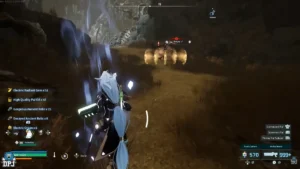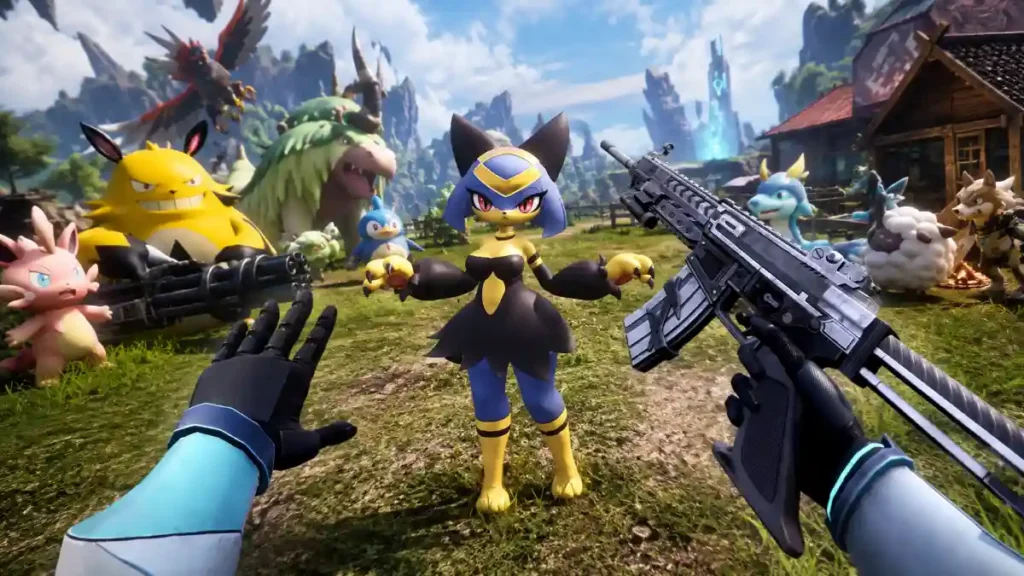
Palworld 1.0 is even more fun in VR thanks to a community-made UEVR profile that adds visible hands, arms, motion controls, and better weapon handling. You can swing melee weapons, aim guns through iron sights, and see armor appear on your in-game arms.
However, this is not official Palworld VR support. It is a PC-only mod setup, so you need Palworld on PC, a compatible VR headset, UEVR, and the correct Palworld VR profile.
Is Palworld 1.0 officially in VR?
No, Palworld 1.0 does not have an official VR mode from Pocketpair.
Players can still experience the game in virtual reality by using UEVR, short for Unreal Engine VR Injector. Palworld runs on Unreal Engine, and a community profile changes how the game behaves in VR. It adds motion-based features that make the game feel much closer to a real VR survival adventure.
This means Palworld VR is currently available only through a mod on PC. Xbox, PlayStation, and other console players cannot use this UEVR method.
What does the Palworld VR mod add?
The Palworld UEVR profile makes a big difference compared with simply viewing the game through a VR headset. It brings your character’s body and weapons into the VR space.
| VR feature | What it does |
|---|---|
| Hands and arms | Shows your character’s hands and arms in front of you |
| Armor appearance | Your arms change to match the armor you wear |
| Motion controls | Your controllers move your hands and equipped items |
| Weapon placement | Guns and melee gear attach to your virtual hands |
| Iron-sight aiming | Lets you lift guns and aim through their sights |
| Physical melee swings | Lets you swing melee weapons with controller movements |
| 6DOF tracking | Tracks your head and hand movement in full 3D space |
The profile is designed to make combat feel more natural. For example, you can hold a gun in front of your face to line up a shot instead of aiming only with a mouse or controller. You can also swing melee weapons with your hands, which makes close combat feel more active.
How to play Palworld 1.0 in VR
You need a gaming PC that can run both Palworld and VR, a PCVR headset, Palworld, UEVR, and the Palworld VR profile.
Follow these steps:
- Install Palworld on Steam or PC Game Pass.
- Download the latest UEVR Nightly build.
- Download the Palworld VR profile from Nexus Mods.
- Do not extract the downloaded profile ZIP file.
- Rename the ZIP file based on your game version:
- Steam:
Palworld-Win64-Shipping.zip - PC Game Pass:
Palworld-WinGDK-Shipping.zip
- Open UEVR and import the renamed profile ZIP file.
- Start Palworld and wait until you reach the main menu.
- Return to UEVR, select your headset runtime, and choose Inject.
- Put on your headset and begin playing Palworld in VR.
Before installing any mod, make a backup of your Palworld save. This is a smart habit whenever you use community-made files, especially after a major game update.
Related: Palworld Has Rejected “Loads” of Collaboration Offers, Pocketpair Lead Says
Why Palworld 1.0 feels so addictive
Palworld 1.0 is much bigger than the early-access version. The full release added the floating Sunreach region, the World Tree area, 72 new Pals, new weapons, Awakening, Mutation, and many other changes to exploration, combat, base-building, and progression.
The update raised the Pal roster to 287, including 47 brand-new Pals and 25 variants. It also increased the player level cap to 80, giving returning players more reasons to keep exploring and improving their teams.
In VR, the normal Palworld gameplay loop becomes even more engaging:
- Explore a new area and look for rare Pals.
- Catch Pals by throwing Pal Spheres.
- Build and improve your base.
- Fight enemies with guns, melee weapons, and Pal abilities.
- Breed stronger Pals with better traits.
- Travel through Sunreach and work toward World Tree endgame content.
Palworld is built around short, rewarding tasks. You may start by looking for one material, then find a Pal you want to catch, then decide to improve your base, and suddenly an hour has passed. VR adds extra immersion because you are physically looking around, holding weapons, and moving your hands during combat.
Important Palworld VR limitations
The Palworld VR profile is impressive, but it is still a fan project. It may not work perfectly for every player.
Keep these points in mind:
- This is not native or official VR support.
- You may see visual bugs, strange animations, or awkward camera moments.
- Some gameplay actions may feel better than others.
- VR performance depends on your PC hardware and headset resolution.
- Palworld updates can temporarily break mod compatibility.
- The profile may need updates after future Palworld patches.
- Multiplayer mod use can have extra risks, so test it in a separate save first.
The profile is an evolving setup rather than a finished official VR mode. If something feels broken after an update, check whether the UEVR profile has received a newer version.
Is Palworld VR worth playing?
Yes, Palworld 1.0 VR is worth trying if you already own a VR headset and enjoy survival, crafting, collecting, and open-world games.
The visible hands and motion controls make the game feel much more personal. Catching Pals, aiming weapons, moving through bases, and exploring large regions are more exciting when you feel like you are inside Palpagos rather than watching it on a flat screen.
Just remember that it is a community-built experience. Go in expecting a fun and immersive mod, not a flawless official VR release. With Palworld 1.0 adding Sunreach, the World Tree, more Pals, deeper progression, and a higher level cap, it is a great time for returning players to jump back in.